Engraving Art Studio
Portrait engraving · trace · clean & export
See the result before you upload
Watch it animate, or drag to compare yourself
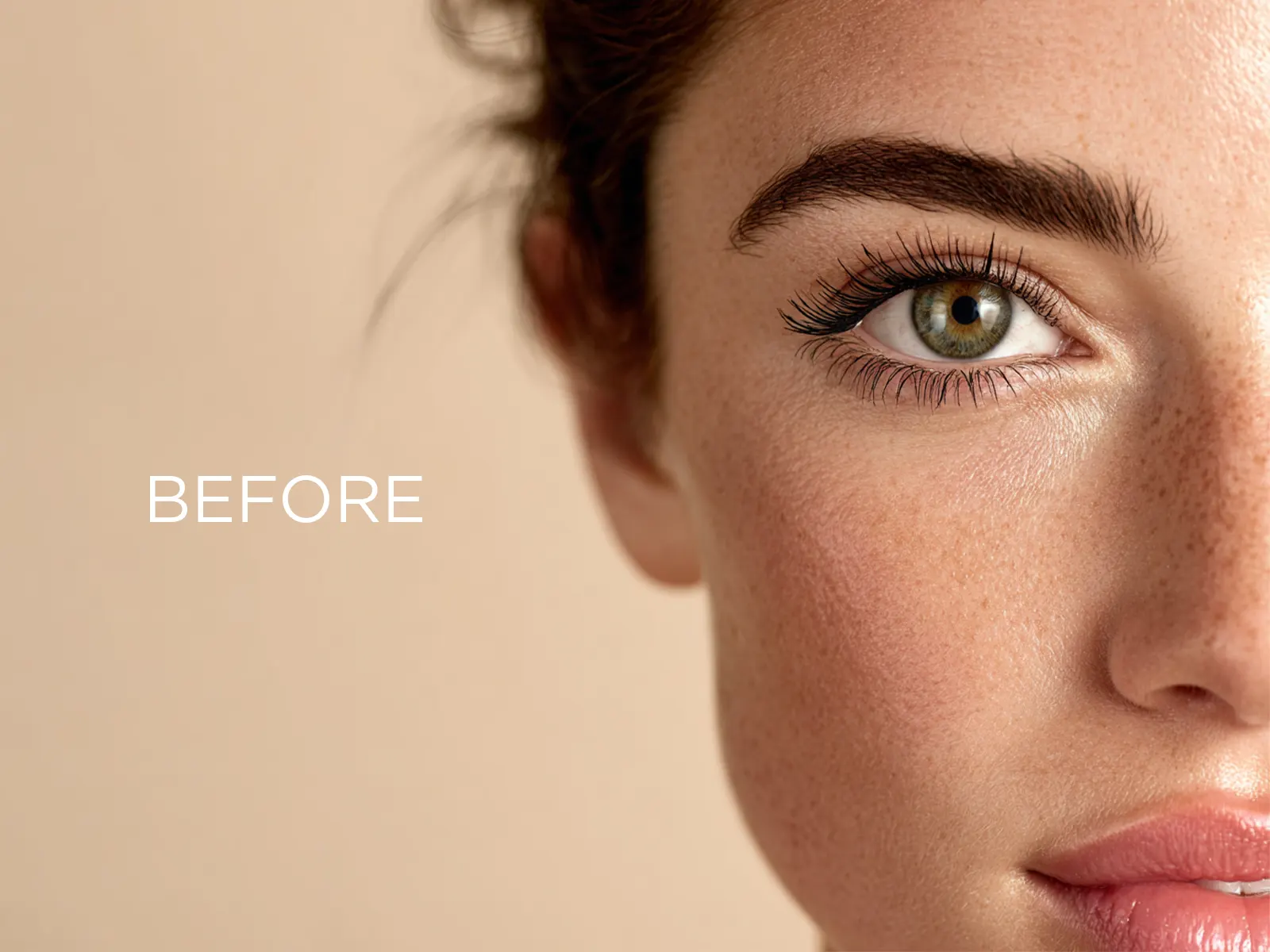
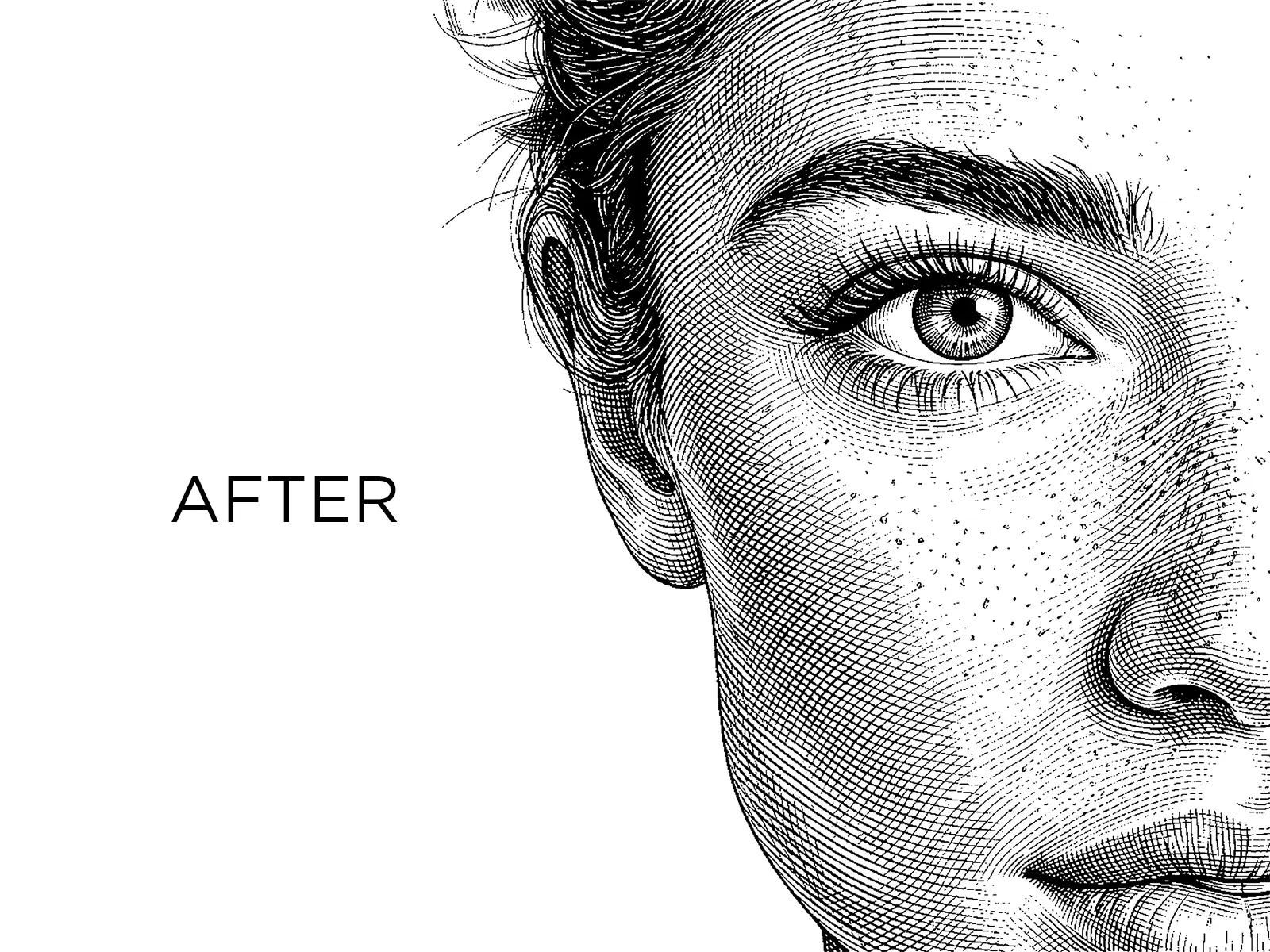
Start Free & Create Premium Engraving Files.
Export ultra-clean SVG, PNG & DXF files ready for laser engraving instantly.
1 Generate
2 Preview & Adjust
Pick a style preset to instantly update the preview. Most people never need the advanced settings.
Advanced Settings optional fine-tuning
How much detail is captured from your photo. Higher keeps more lines.
Removes tiny dots and unwanted artifacts.
Softens sharp corners for a more natural look.
Creates cleaner engraving paths with fewer rough edges.
Scales up the traced detail. Leave at 1.0x for most photos.
Manual Cleanup Optional Add or remove engraving lines if needed.
3 Download
Premium Photo to Line Art Converter for Laser Engraving: 100% Accurate, No AI Distortion
Convert any photo into clean, laser-ready line art with the premium photo to line art converter built by RickyLaserArt. Unlike generic AI tools that distort faces and change nose shapes or facial features, our premium tool delivers 100% accurate tracing of your original photo, exactly what you uploaded, with no AI guesswork. Export production-ready SVG, DXF, and PNG files optimized for laser engraving on Glowforge, xTool, Ortur, LightBurn, and every major laser machine. Whether you're an Etsy seller crafting personalized portrait gifts, a CNC professional preparing client files, or a hobbyist running your first engraving project, this tool turns 4-5 hours of manual Illustrator work into a few clicks: no technical skills, no design background required. Built by Ricky, a laser cutting designer with 6+ years of experience and 4500+ completed projects, this is the premium line art converter laser engravers actually need.
Why Most Photo to Line Art Tools Fail (And How We're Different)
Most photo to line art converters on the internet today are powered by generic AI image models. They were trained for art generation, not for accurate portrait tracing. The result? You upload a clear photo of your client, your family member, or yourself, and the AI hands back a face that doesn't quite match. Nose shape changes. Eye spacing shifts. Jaw structure looks different. For coloring pages or stylized art, that's fine. For premium portrait laser engraving (where the entire purpose is capturing someone's exact likeness), it's a disaster.
The RickyLaserArt premium photo to line art converter solves this. Instead of regenerating your photo with AI, our tool performs precise edge detection and tracing on the original image. What you upload is what you get: no distortion, no AI hallucination, no "creative interpretation" of facial features. The output preserves your subject's actual face structure, expression, and proportions.
On top of accurate tracing, you get full control. The threshold slider lets you decide how much detail the conversion captures: fewer lines for minimalist engraving, more lines for high-detail portraits. The built-in canvas cleanup tool lets you erase unwanted speckles or add missing details before exporting. It's a premium workflow designed for real laser engraving professionals, not a generic AI demo.
How to Convert a Photo to Line Art for Laser Engraving
Step 1: Upload Your Photo
Drop any JPG or PNG file up to 50 MB into the upload area, or click to browse. Portrait photos with good lighting and clear facial features work best, but the tool handles pets, objects, logos, and landscapes equally well. Your uploaded photo is processed securely and automatically deleted within 24 hours; we never store or share your images.
Step 2: Adjust Detail Level with the Threshold Control
Use the brightness cutoff slider to control how much detail is traced from your photo. Lower values produce minimal, clean line art ideal for fast laser engraving on small items. Higher values capture more detail, perfect for large portrait engravings on wood, acrylic, or slate. The speckle suppression and corner smoothing controls fine-tune the output further, giving you a premium result every time.
Step 3: Clean Up with the Canvas Editor
After preview generation, the built-in canvas tool lets you remove unwanted marks with the eraser brush or add missing details with the pen tool. No need to export to Photoshop or Illustrator; clean up your line art directly inside the converter. Undo, redo, and zoom controls give you full editing freedom.
Step 4: Export as SVG, DXF, or PNG
When you're satisfied with the result, export your line art in the format your laser software expects. Vector SVG and DXF files scale to any size without quality loss, ideal for LightBurn, LaserGRBL, xTool Creative Space, and Glowforge. High-resolution PNG at 300 DPI is perfect for raster engraving workflows.
What Makes RickyLaserArt the Premium Choice
Several features separate this tool from free generic converters and AI image apps:
- Accurate tracing without AI distortion: Your photo's actual features are preserved. No regenerated faces, no shifted proportions, no AI guesswork.
- Full detail control: Three adjustment sliders (brightness cutoff, speckle suppression, corner smoothing) let you tune output for any material, machine, or project type.
- Built-in cleanup canvas: Erase unwanted lines, add missing details, undo and redo, all inside the converter. No external software needed.
- Multi-format export: Get production-ready SVG (vector), DXF (CAD-native), and PNG @ 300 DPI in a single workflow.
- Built by a laser engraving designer: Created by Ricky, a 4.9-star rated designer with 6+ years of laser cutting experience and 4500+ completed projects. This isn't a generic AI demo built by someone who has never touched a laser machine; it's a tool built for the people who actually engrave.
- Premium output, beginner-friendly: No technical skills, no Illustrator certification, no design background. Upload, adjust, clean, export. The 4-5 hours of manual tracing work is fully automated, but with the precision controls a professional needs.
Use Cases: Who This Tool Is For
Etsy Sellers & Custom Gift Makers
Premium portrait engraving is one of the highest-margin product categories on Etsy. Convert customer-submitted photos into laser-ready line art in minutes, fulfill orders faster, and deliver consistent quality. The accurate tracing ensures your customers' loved ones actually look like themselves on the final engraved piece.
Glowforge, xTool & Ortur Users
Hobbyists running Glowforge Pro, xTool D1, P2, or Ortur Laser Master machines get clean SVG files that import directly into Glowforge App, xTool Creative Space, or LightBurn. No tracing, no manual cleanup in Inkscape: just upload, adjust, export, and engrave.
CNC Professionals & Designers
CNC operators and laser cutting professionals get production-grade DXF files with optimized paths. Reduce node count, eliminate redundant geometry, and import directly into your CAM workflow. Save hours of manual prep on every client job.
Wedding & Memorial Portrait Engravers
Wedding gifts, anniversary plaques, memorial portraits: these are emotional pieces where the person must look like themselves. The accurate tracing (no AI distortion) makes this tool the right choice for any portrait that has to honor a real person.
Tattoo Artists & Stencil Makers
Convert reference photos into clean, transferable stencil outlines. The detail control lets you favor clarity for stencil-ready output, and SVG export means your stencils scale to any size without losing line quality.
Supported File Formats: SVG, DXF, PNG Explained
SVG: Vector for Laser & CNC
Scalable Vector Graphics (SVG) is the standard format for laser engraving software like LightBurn, xTool Creative Space, and Glowforge App. SVG files are made of mathematical paths, not pixels, so they scale infinitely without losing quality. Use SVG when you want maximum flexibility: resize, edit nodes, or recolor in Illustrator or Inkscape before sending to your laser.
DXF: CAD-Native for CNC Workflows
Drawing Exchange Format (DXF) is the industry standard for CNC machines and CAD software like AutoCAD, Fusion 360, and SolidWorks. Our DXF export uses optimized polylines compatible with virtually every CNC controller. Use DXF when your workflow lives in CAD or your CNC software prefers it over SVG.
PNG @ 300 DPI: Raster for Photo Engraving
For raster engraving workflows where the laser interprets pixel data directly, our PNG export at 300 DPI delivers a sharp, high-contrast image ready for engraving on wood, acrylic, leather, slate, and more. Ideal for Glowforge users running photo engrave mode.
Compatible With All Major Laser Engraving Machines
The output files from RickyLaserArt's premium photo to line art converter work with every major laser engraving machine and software:
- Glowforge Basic, Plus, Pro and Aura: SVG imports directly into the Glowforge App.
- xTool D1, D1 Pro, M1, P2, S1, F1: Use SVG in xTool Creative Space or LightBurn.
- Ortur Laser Master 2 & 3: Compatible via LightBurn or LaserGRBL.
- LightBurn: The most popular laser control software supports both SVG and DXF imports natively.
- LaserGRBL: Free Windows software for diode lasers, accepts PNG raster files.
- Epilog, Trotec, Universal Laser Systems: Professional CO2 lasers accept SVG, DXF, and high-resolution raster files.
- OMTech, Atomstack, NEJE, Two Trees: Budget and mid-range lasers all support the same file formats.
Whatever machine you run, RickyLaserArt's output is laser-ready. No additional conversion, no compatibility issues.
From 4-5 Hours of Manual Work to a Few Clicks
Before this tool existed, creating premium line art from a photo for laser engraving required hours of skilled work. The traditional workflow looked like this: open the photo in Adobe Photoshop, manually adjust levels and contrast, run through filters or trace manually with the pen tool, export to Illustrator, run Image Trace, manually clean every stray node and unwanted line, optimize paths, then export to SVG or DXF. For an experienced designer, that's 1-2 hours per portrait. For a beginner, 4-5 hours, and the result is often inconsistent.
RickyLaserArt automates this entire workflow without sacrificing premium quality. Upload your photo, adjust the threshold slider in real-time, clean up minor details with the built-in canvas tool, and export. Total time: 2-3 minutes. No Photoshop subscription, no Illustrator skills, no manual node-by-node editing. Just a clean, accurate, laser-ready file every time.
This isn't a stripped-down AI demo; it's a complete production workflow compressed into a few clicks. Designed by a laser engraving professional, built for laser engraving professionals.
Pricing & Free Trial
Try the premium photo to line art converter free: your first conversion is on us. After that, choose a plan that fits your workflow:
- Free trial: 1 conversion to test the tool with your own photo.
- Paid plans: Built for creators, CNC designers, and laser engraving professionals who convert regularly.
All plans include commercial usage rights, secure 24-hour file deletion, and access to SVG, DXF, and PNG exports.
Frequently Asked Questions
How accurate is the photo to line art conversion?
The conversion is 100% accurate to your original photo. Unlike generic AI tools that regenerate your image and distort facial features, our tool performs precise edge detection and tracing on what you actually uploaded. Your subject's face structure, expression, and proportions are preserved exactly.
Does this tool distort faces like AI converters?
No. This is the core difference between RickyLaserArt and most other photo to line art tools. We don't use generative AI to recreate your image; we trace it. The output line art looks like the original photo, not an AI's interpretation of it. This makes the tool ideal for portrait engraving where likeness matters.
What file format should I use: SVG, DXF, or PNG?
Use SVG for most laser engraving workflows (LightBurn, Glowforge, xTool Creative Space). Use DXF if your software prefers CAD-native files or you're working in AutoCAD or Fusion 360. Use PNG @ 300 DPI for raster engraving modes where the laser interprets pixel data directly.
Is it compatible with Glowforge, xTool, and LightBurn?
Yes. SVG and DXF exports work natively with Glowforge App, xTool Creative Space, LightBurn, LaserGRBL, and every major laser control software. PNG works with raster engraving modes.
Can I use the output for commercial projects?
Yes. All exported files include commercial usage rights. Use them for client work, Etsy products, custom orders, and resale-ready engraved goods without any licensing concerns.
How is this different from Adobe Illustrator's Image Trace?
Illustrator's Image Trace is a general-purpose vectorization tool; it requires a Creative Cloud subscription, manual cleanup of every result, and significant time per image. RickyLaserArt is purpose-built for laser engraving: precision tracing, real-time threshold control, built-in cleanup canvas, and multi-format export in one tool, no subscription to Adobe required.
What kind of photo works best for line art conversion?
Photos with strong lighting, clear subject-background contrast, and sharp focus produce the cleanest results. Portrait photos with even front lighting are ideal. The tool handles low-contrast and complex photos too, just use the threshold slider to fine-tune detail level.
How long does the conversion take?
Premium portrait conversions typically complete in 15-30 seconds, depending on photo complexity. Cleanup and export add a minute or two. Total time: 2-3 minutes from upload to laser-ready file.
Do I need technical or design skills to use this?
No. The tool is designed for laser engravers who are not graphic designers. If you can drag a slider and click a button, you can use this tool. No Photoshop, no Illustrator, no design background required.
Is my uploaded photo stored or shared?
No. All uploaded photos are processed securely and automatically deleted within 24 hours. We never store, share, or use your images for any other purpose.